> For the complete documentation index, see [llms.txt](https://docs.chaingpt.org/llms.txt). Markdown versions of documentation pages are available by appending `.md` to page URLs; this page is available as [Markdown](https://docs.chaingpt.org/ai-tools-and-applications/ai-cross-chain-swap.md).
# AI Cross-Chain Swap
Empowering Traders with Advanced AI
Swap like a pro: [app.ChainGPT.org](https://app.chaingpt.org/)\
\
Discover ChainGPT's revolutionary cross-chain swap aggregator, a groundbreaking tool designed to transform the cryptocurrency trading experience. Our platform combines simplicity and cost-effectiveness, marking a significant evolution in the crypto exchange landscape.\
\
**Key Features of ChainGPT's Cross-Chain Swap:**
* **Multi-Blockchain Trading**: Seamlessly manage and trade assets across over 20+ blockchains.
* **Enhanced Liquidity and Pricing**: Pool liquidity from multiple decentralized exchanges for better rates and reduced slippage.
* **Efficient and Economical Swaps**: Benefit from low fees, fast transactions, and minimal slippage.
* **User-Friendly Design**: Ideal for both seasoned traders and newcomers to cryptocurrency.
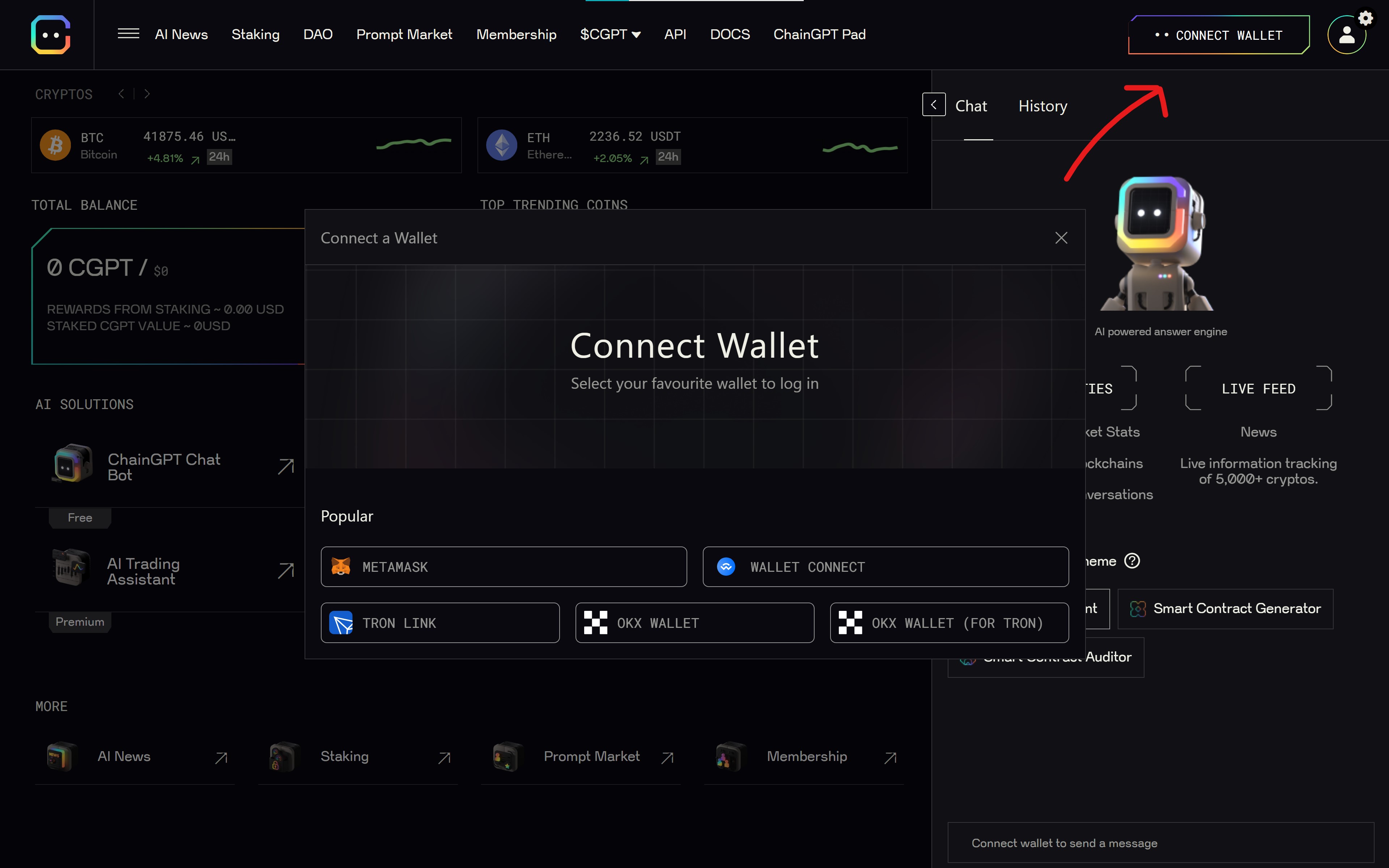
CONNECT YOUR WALLET
**Effortless Trading with ChainGPT: A Step-by-Step Guide**
1. **Start at app.ChainGPT.org:** Connect your digital wallet to ChainGPT’s platform.
2. **Engage with the AI Chatbot:** Simply type your swap request into the chat, like “Swap 0.4 BNB for CGPT”.
3. **Receive Tailored Swap Options:** The AI chatbot quickly identifies the best rates for your swap.
4. **Compare and Choose:** Review and compare rates with ease, ensuring you make the best trading decision.
5. **Confirm and Swap:** Finalize your transaction with a click, enjoying swift and secure exchanges.
CONFIRM THE EXCHANGE & START SWAPPING
#### Beyond Swapping: ChainGPT's AI Suite
ChainGPT not only simplifies the swapping process but also extends its capabilities with a suite of AI tools, enhancing your experience in the blockchain and cryptocurrency realms.\
\
[**Disclaimer**](https://docs.chaingpt.org/misc/legal-docs/disclaimer)
---
# Agent Instructions
This documentation is published with GitBook. GitBook is the documentation platform designed so that both humans and AI agents can read, navigate, and reason over technical content effectively. Learn more at gitbook.com.
## Querying This Documentation
If you need additional information that is not directly available in this page, you can query the documentation by asking a question.
Perform an HTTP GET request on the following URL with the `ask` and `goal` query parameters:
```
GET https://docs.chaingpt.org/ai-tools-and-applications/ai-cross-chain-swap.md?ask=&goal=
```
`ask` is the immediate question: it should be specific, self-contained, and written in natural language.
`goal` is what the user is ultimately trying to achieve, the reason they need the answer. Sharing it helps GitBook give you a better, more relevant answer. A goal is most helpful when it describes the outcome the user wants rather than restating the question. For example, with `ask=how do I create an API token`, a goal like `automate deployments from our CI pipeline` lets GitBook tailor the answer to that use case.
The response will contain a direct answer to the question and relevant excerpts and sources from the documentation.
Use this mechanism when the answer is not explicitly present in the current page, you need clarification or additional context, or you want to retrieve related documentation sections.