> For the complete documentation index, see [llms.txt](https://docs.chaingpt.org/llms.txt). Markdown versions of documentation pages are available by appending `.md` to page URLs; this page is available as [Markdown](https://docs.chaingpt.org/ai-tools-and-applications/cryptoguard-extension-your-web3-shield.md).
# CryptoGuard Extension: Your Web3 Shield
## Introduction
ChainGPT's CryptoGuard Security Extension is a powerful tool designed to protect your Web3 experience. It safeguards you against phishing scams, malware, unauthorized tracking, and other digital threats that have become common in Web3.
Built with advanced AI algorithms and leveraging insights from leading security providers, CryptoGuard provides the comprehensive protection you need.
### **Installation Guide**
To install CryptoGuard, visit [this link](https://chromewebstore.google.com/detail/cryptoguard-by-chaingpt-a/eegoohfobcaegoeoakafgiljckfiajhl) and add to your browser. After installation, make sure to navigate to the ‘My Wallet’ tab to analyze your wallet.
### **Supported Blockchains**
CryptoGuard currently supports BNB Smart Chain, Ethereum, and Polygon.
## Features
By incorporating insights from [CUBE3.AI](https://cube3.ai/), GoPlusSecurity, EtherScan, and BSCScan, CryptoGuard establishes a comprehensive security framework. The extension is divided into four main features. In the following documentation, we’ll review each and detail their functionality.
1. Analyze Anything
2. My Wallet
3. Live Tracker
4. URL Analysis
***
### **Analyze Anything**
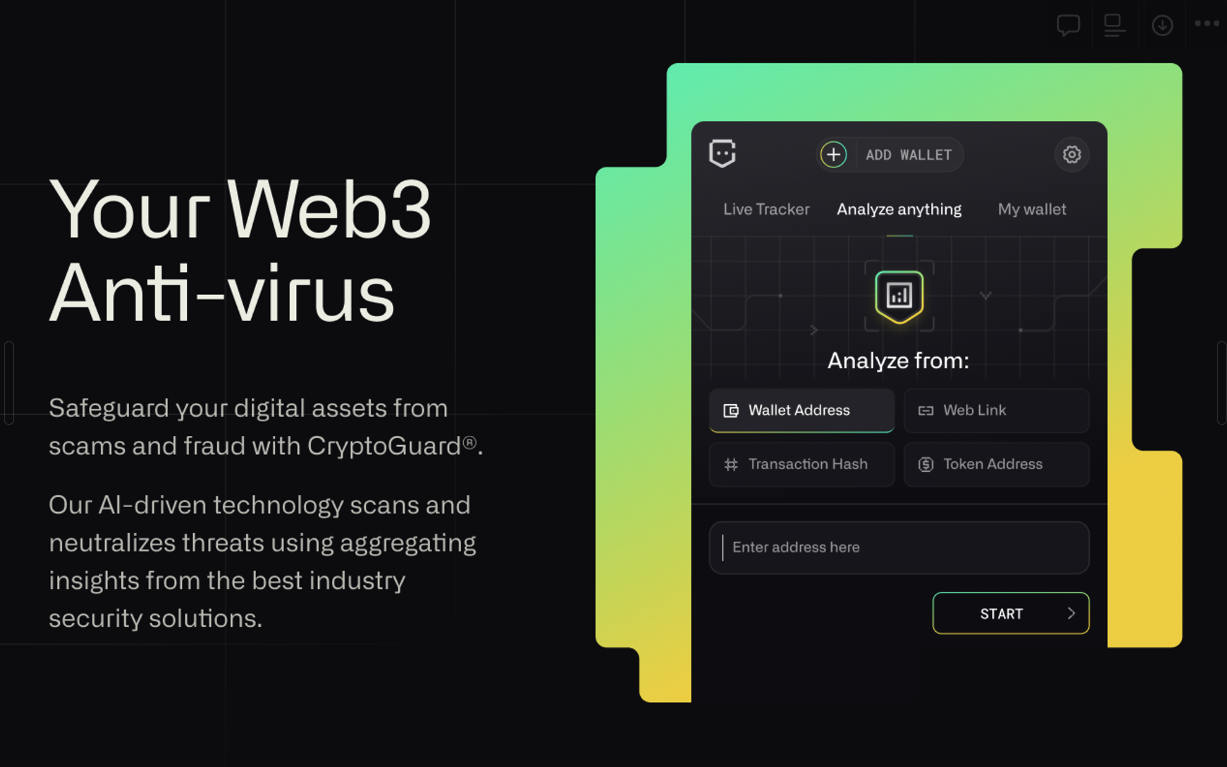
CryptoGuard allows users to analyze malicious websites, transactions, tokens, and NFTs against wallet addresses. From wallet addresses to transaction hashes, quickly analyze and assess potential risks to make informed security decisions. Let’s review the four main features of this tab.
### **Analysing Wallet Address**
When a user enters a wallet address for analysis, the following information is generated:
1. Transactions associated with the wallet address
2. NFT collections owned by the wallet address
3. Tokens held by the wallet address
### **Analysing** Transaction Hash
In the Transaction Hash tab:
* Clicking on the details icon provides two types of information for each transaction: General Info and Alerts.
* Transactions labeled "No Risk" indicate no potential issues. The number of warnings and high-risk alerts are displayed for transactions with warnings. Alerts from three APIs are displayed to determine the transaction's risk level.
* From and To wallet addresses, transaction hash, and gas fee are displayed.
* Click to view the transaction in a block explorer and copy the transaction ID.
* Risks: Alerts indicating whether a transaction is risky are shown in Risks next to the info section within the Info Dropdown.
### **Analysing Website**
Users can enter any website URL to check its safety status:
* Whitelisted, blacklisted, or other categorized URLs are checked against a file.
* If the URL is not in the file, the IP Quality Score API is called to determine if the site is suspicious.
### **Analysing Token Address**
For token analysis:
* Details such as supply, symbol, market cap, price change, and volume are analyzed.
* Warnings and high-risk labels are displayed, with further breakdown available in the dropdown.
***
## **My Wallet**
Using CryptoGuard, you can achieve peace of mind with a detailed security overview of your Web3 wallet and assets. The My Wallet tab allows users to view transactions, NFTs, and tokens associated with their connected wallet address. If suspicious tokens or NFTs exist, CryptoGuard will assign them a warning.
### **Transactions**
In the Transaction tab:
* Each transaction provides general information and alerts.
* Transactions labeled "No Risk" indicate no potential issues, while warnings are displayed for risky transactions.
### **NFTs**
In the NFTs tab:
* Collections of NFTs associated with the wallet address are displayed.
* Users can click on a collection to open it in OpenSea.
### **Tokens**
In the Token Tab:
* Tokens held by the wallet address are analyzed and labeled by risk level.
* Alerts are available in the dropdown for further details.
***
## **Live Tracker**
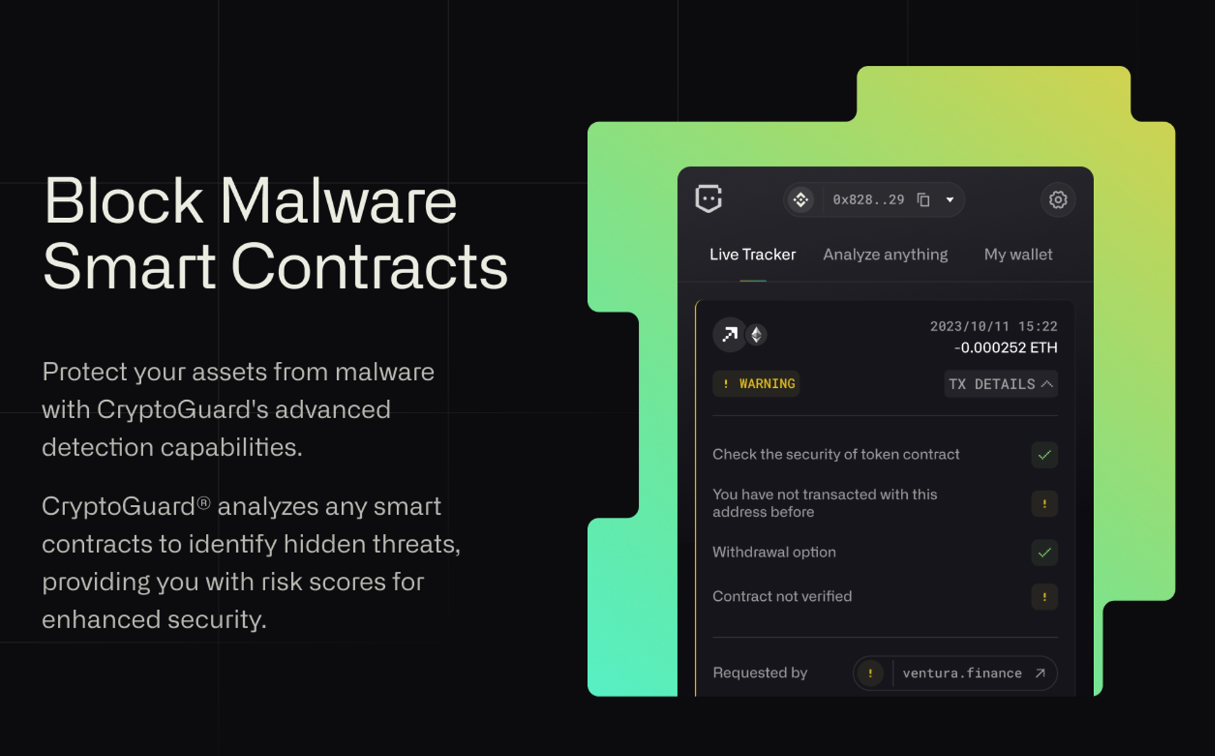
Get instant feedback about transactions from our Live Tracker. CryptoGuard analyzes wallet addresses and instantly alerts you to suspected fraud before confirming. In the settings tab, users can activate the Active mode for Tracker:
* This enables detailed analysis of transactions, popping up on each transaction.
* Users can wait for analysis or skip it. If the selected chain is unsupported, the user is informed.
### **Tracker Details**
* Provides transaction details and alerts.
* Further analysis and contract details are available in dropdown menus.
* Users can access other functionalities like "Analyze Anything" and "My Wallet" from within the Tracker window.
***
## **Website Analysis**
CryptoGuard’s URL Analysis feature is a powerful tool that systematically scans website URLs for potential threats. With real-time checks against our extensive repository of malicious sites and the IP Quality Score API, users can confidently navigate Web3.
Here’s how it works:
* Malicious websites are identified, allowing users to continue or exit.
* A repository of whitelisted sites is compared to visited URLs.
* The IP Quality Score API is called to assess the site's trustworthiness if a URL is not in the repository.
***
## Getting started
[Download CryptoGuard Extension](https://chromewebstore.google.com/detail/cryptoguard-by-chaingpt-a/eegoohfobcaegoeoakafgiljckfiajhl)
[Get Support on Discord](https://discord.com/invite/chaingpt)
[CryptoGuard Website](https://www.cryptoguard.ai/)
[App Privacy Policy](https://www.cryptoguard.ai/app-privacy-policy)
---
# Agent Instructions
This documentation is published with GitBook. GitBook is the documentation platform designed so that both humans and AI agents can read, navigate, and reason over technical content effectively. Learn more at gitbook.com.
## Querying This Documentation
If you need additional information that is not directly available in this page, you can query the documentation by asking a question.
Perform an HTTP GET request on the following URL with the `ask` and `goal` query parameters:
```
GET https://docs.chaingpt.org/ai-tools-and-applications/cryptoguard-extension-your-web3-shield.md?ask=&goal=
```
`ask` is the immediate question: it should be specific, self-contained, and written in natural language.
`goal` is what the user is ultimately trying to achieve, the reason they need the answer. Sharing it helps GitBook give you a better, more relevant answer. A goal is most helpful when it describes the outcome the user wants rather than restating the question. For example, with `ask=how do I create an API token`, a goal like `automate deployments from our CI pipeline` lets GitBook tailor the answer to that use case.
The response will contain a direct answer to the question and relevant excerpts and sources from the documentation.
Use this mechanism when the answer is not explicitly present in the current page, you need clarification or additional context, or you want to retrieve related documentation sections.